If you built a mobile app, short video is the cheapest way to put it in front of people who have never heard of you. TikTok, Instagram Reels and YouTube Shorts all show your videos to people who don’t follow you yet, which is exactly the situation of a new app with no audience.
The catch: most founders picture “app marketing on TikTok” as dancing or talking to camera, and decide it’s not for them. You don’t need either. Your app’s screen is the most interesting thing you have. This guide covers how to market a mobile app with short videos, with or without your face.
Why short video works for apps
An app is a visual product. A screenshot on an App Store page is static; a 15-second clip shows the moment your app does something useful. That moment is what makes someone install.
Short-video platforms also reward a specific kind of content that apps produce naturally:
- A clear before and after. The messy way of doing something, then your app doing it.
- A satisfying loop. Checking off a task, a chart filling up, a streak counter going up.
- A question people already ask. “Is there an app that…?” is a common search on TikTok.
You won’t go viral every week, and you don’t need to. A few videos a week that each reach a few thousand of the right people adds up to steady installs.
Formats that don’t need your face
1. The walkthrough in 20 seconds
Open the app, show the main screen with no intro, and show three things it does, one per cut. End on the price and where to get it. Put the hook as text on screen in the first frame.
Good hook pattern: “This app does [annoying task] in one tap.”
2. Problem → fix
Show the pain first: a messy spreadsheet, a cluttered notes app, a reminder you ignored. Then show the same task in your app. The contrast does the selling.
3. POV using the app
Text on screen: “POV: you finally found a [category] app that doesn’t [common frustration].” Then a calm screen recording of the app being used. This works well on Reels and TikTok, and is easy to batch.
4. Feature drop
When you ship something, make a 15-second video about it. “New:” + feature name in the first second, the feature in action, then “update the app.” These rarely blow up, but your existing users share them.
5. Reply to a comment
Once you have a few comments, answer them with a video. “Does it work offline?” is a 20-second screen recording. Replies tell the algorithm your account has a conversation going.
When you do want a face (but not yours)
Some formats work better with a person: founder stories, reactions, “3 apps I deleted.” If you don’t want to film yourself, you have options:
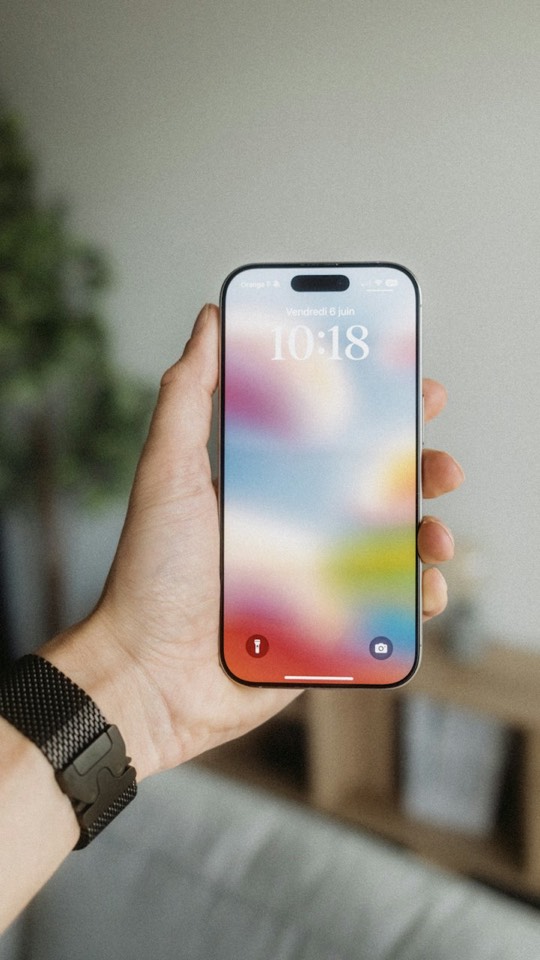
- Hands only. Film your phone in your hand over a desk. People respond to real hands more than a flat screen capture.
- Your voice, not your face. A voiceover over a screen recording feels personal without a camera. If you’re short on time, a cloned voice can narrate scripts you write.
- A generated lifestyle shot. A two-second clip of a phone on a nightstand or a desk before cutting to the screen recording.
How to film your screen properly
Bad screen recordings are the most common reason app videos get skipped. A few rules:
| Do | Avoid |
|---|---|
| Record at your phone’s native resolution, vertical | Landscape recordings with black bars |
| Use realistic demo data (names, numbers) | Empty states and “Lorem ipsum” |
| Turn on Do Not Disturb, clean the status bar | Notifications sliding in mid-video |
| Move slower than feels natural | Fast scrolling nobody can follow |
| Zoom in on the part that matters in the edit | Showing the whole screen at all times |
Put your on-screen text in the middle of the frame. The top and bottom are covered by the platform’s interface.
Hooks matter more than editing
On every platform, people decide in the first second or two whether to keep watching. A clean edit with a weak first line loses to a rough edit with a strong one. Write the hook first, then build the video around it.
We collected 15 patterns that work for app founders in this guide to TikTok hooks for apps. Start with the ones that name a frustration your users already feel.
How often to post
A reasonable starting point for a solo founder:
- 3 to 5 videos a week on TikTok and Reels (the same video can go to both).
- The same videos on YouTube Shorts, with a different caption.
- One build-in-public post a week on X or LinkedIn (see what to post when nothing happened).
Consistency beats volume. Twelve videos over four weeks will teach you more than thirty in one week followed by silence.
Measure installs, not views
Views tell you if the hook worked. Installs tell you if the video brought the right people. Use a different link per platform in your bio (or a link-in-bio page with UTM tags), and look at which videos lead to downloads and signups, not just which ones got the most views.
A video with 8,000 views that brings 40 installs is worth more than one with 200,000 views and none.
Doing this without losing your evenings
The time sink in app video marketing isn’t the posting, it’s the scripting, recording and editing. A rhythm that works for many solo founders:
- One hour on Sunday: write five hooks and scripts.
- One recording session: capture all the screen recordings at once.
- Edit in batches, schedule for the week.
Soloreach can take over steps 1 to 3: it writes scripts from your app profile, builds the video from your screen recordings or app screens with a cloned or studio voice, and schedules it to every platform. You review and approve. Plans start at $99 a month, enough for up to a video and an article every day: see pricing.
FAQ
Do I need to show my face to market an app on TikTok?
No. Screen recordings with on-screen text, hands-only shots and voiceovers all work. Face-to-camera helps for founder stories, but it’s one format among many.
How long should an app promo video be?
Start between 15 and 35 seconds. Walkthroughs and feature drops can be under 20 seconds; founder stories and comparisons can run a bit longer.
Should I post the same video on TikTok, Reels and Shorts?
Yes, as long as you remove watermarks and adapt the caption. Each platform tends to reward different videos, so cross-posting also tells you where your app’s audience is.
How long before short videos bring installs?
It varies a lot by category. Give it four to six weeks of consistent posting before judging, and watch installs per video rather than overall follower count.